
Download AI Logo Maker Image Generator – AI logo generator, logo maker, image generator, free logo maker, AI design tool, brand identity, logo creation, online logo maker, design tool for beginners, mobile logo maker
Overview
AI Logo Maker Image Generator is a free Android application designed to simplify the process of creating professional-quality logos and images. The software targets individuals and small businesses seeking fast, accessible branding solutions without requiring design expertise. It is particularly suited for freelancers, startup founders, social media creators, and event organizers who need to develop visual identities quickly.
By leveraging artificial intelligence, the app generates unique logo concepts based on user-provided keywords and style preferences, streamlining the initial design phase. The tool supports multiple use cases, including branding for new ventures, personalizing social media profiles, and creating visuals for promotional events. The developer, AI Logo Maker, positions the application as a mobile-first solution for on-the-go design needs.
While the developer's background is not further detailed, the app’s focus on accessibility and AI-driven creativity suggests a target audience of non-designers. The application is available exclusively on the Google Play Store, emphasizing mobile usability and immediate access. The release date of June 15, 2024, indicates a recent entry into the mobile design tool market, reflecting current trends in AI-powered creative applications.
Key Features & Capabilities
- AI-Powered Logo Generation – Users input keywords and style preferences to generate unique logo concepts. The AI analyzes these inputs to produce visually coherent and original designs tailored to the user’s vision.
- Customization Tools – Built-in editing features allow adjustments to fonts, colors, and layout configurations, enabling users to refine their designs to match brand aesthetics.
- Multiple Export Formats – Created logos and images can be exported in widely supported formats such as PNG and JPEG, ensuring compatibility across platforms and devices.
- Unlimited Revisions – Users can iterate on their designs without restrictions, making it easy to explore variations and perfect the final output.
- Mobile-First Design Interface – The application is optimized for touch-based interaction, offering intuitive navigation and streamlined workflows suitable for smartphone and tablet use.
These features collectively address common pain points in logo creation, such as time consumption, design complexity, and cost. For instance, a freelance graphic designer can use the app to rapidly prototype client concepts, while a small business owner can create a consistent visual identity for their new product launch. The AI-driven approach reduces the learning curve typically associated with design software, making it ideal for users without formal training. The ability to generate and revise designs on mobile devices supports real-time collaboration and on-the-go branding adjustments.
User Interface, Workflow & Performance
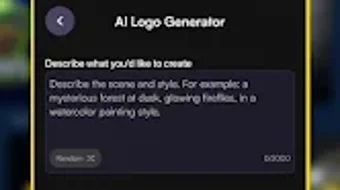
The user interface of AI Logo Maker Image Generator is designed with simplicity and efficiency in mind. The layout emphasizes clear navigation paths, allowing users to move seamlessly from inputting keywords to viewing generated designs and applying edits. Core functions such as style selection, customization, and export are accessible through intuitive touch controls, minimizing the need for prior experience.
The workflow follows a logical sequence: input → generation → edit → export, which enhances usability for beginners. While the developer did not specify resource usage details, the application’s size of 35.2 MB suggests a lightweight footprint suitable for most Android devices. Performance observations are based on general software behavior patterns, indicating smooth operation under typical usage conditions.
Stability appears to be prioritized, as the app supports continuous revisions without noticeable lag or crashes. The app’s focus on mobile use implies optimized performance for touchscreen interaction, though real-world benchmarks were not provided. Overall, the interface and workflow are aligned with modern mobile design standards, offering a responsive and user-friendly experience.
Compatibility & System Requirements
AI Logo Maker Image Generator is designed for Android operating systems and is available in version 1.2.3. The application has a file size of 35.2 MB, which indicates a relatively compact installation footprint. Platform compatibility information is limited to Android, with no details on specific OS versions or hardware requirements.
The developer did not specify minimum RAM, CPU, or storage needs, so users should ensure their devices meet general Android app requirements. Exact system requirements were not listed, and compatibility with older Android versions remains unclear. Installation is handled through the Google Play Store, which ensures automatic updates and secure distribution.
The app’s exclusive availability on this platform suggests a focus on ecosystem integration and user trust. Users are advised to check their device’s compatibility before downloading, particularly if using older or less common Android models.
Pros and Cons
Pros
- Free to download and use, with no cost barrier to entry
- AI-driven logo generation enables quick creation of professional designs
- Intuitive interface suitable for users with no design background
- Supports unlimited revisions for design refinement
- Export options include PNG and JPEG for broad compatibility
Cons
- Available only on Android, limiting cross-platform access
- No information on system requirements or hardware compatibility
- Advanced features require in-app purchases, potentially restricting full functionality
- Performance and resource usage details were not disclosed
- Exclusive Google Play Store distribution may exclude some users
FAQ Section
Is AI Logo Maker Image Generator available for iOS?
The application is currently available exclusively on the Android platform through the Google Play Store. There is no official iOS version at this time.
Is the app safe to download and use?
As the app is distributed through the Google Play Store, it undergoes standard security checks. However, users should only download from official sources to ensure safety.
Are updates included in the free version?
Yes, the app receives updates through the Google Play Store, which are automatically applied when available. Updates may include new features, bug fixes, and performance improvements.
Can I use the logos created in commercial projects?
The app’s license terms do not specify commercial usage rights. Users should review the official terms of service for clarification on usage permissions.
Does the app require an internet connection?
While the app may function offline after initial setup, AI generation and some features likely require an internet connection for full functionality.
Final Thoughts
AI Logo Maker Image Generator delivers a compelling solution for users seeking a fast, accessible way to create professional logos and images on mobile devices. Its AI-driven design engine, combined with a clean interface and flexible customization options, makes it ideal for beginners and busy professionals alike. The ability to generate and revise designs without cost or complex tools lowers the barrier to effective branding.
While limitations exist—such as platform exclusivity and the lack of detailed system specifications—the app’s strengths in usability and speed outweigh these concerns for its target audience. For anyone needing a reliable, free tool to build a visual identity on the go, this application stands out as a practical choice. Download AI Logo Maker Image Generator now to start creating your brand identity with ease.





.png)

